


Getting Quotes
BEFORE YOU BEGIN: Confirm Client is not under existing contract!!
Once you have the utility stmt and signed LOA, proceed to the next tab
Custom price can take 24-48 hours
Continuation of Step 4 under
"Energy -> Portal"

After Clicking "Apply All", the box will open on the top, then press "edit"

You will then see this page where you will click "edit" for each term and input the pricing given from the quote
Note that portal only has four terms, you may get extra terms from the carrier. When composing the email to John with the pricing, that is were you will include the extra terms

Then, go back to the dashboard and click "create proposal"
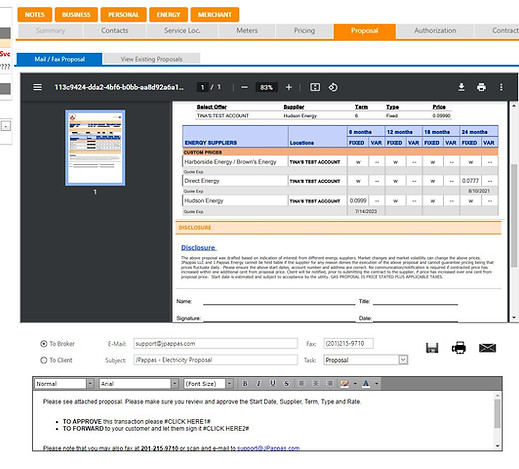
After creating the proposal, be sure that the email is being sent to John and address it to him in the text box. And this is where you can include the extra terms, just write it in the text box
Note: this automatically brings to Step 5: Proposal